See the visual context
Create a first draft from detected slide changes, then correct missing or extra sections.
 Video2Script
PROFESSIONAL LEARNING · FOR MAC
Slides rarely include everything the speaker explains. Keep the presentation visuals together with a transcript or reviewed summary, then add the conclusions and follow-up questions that matter to you.
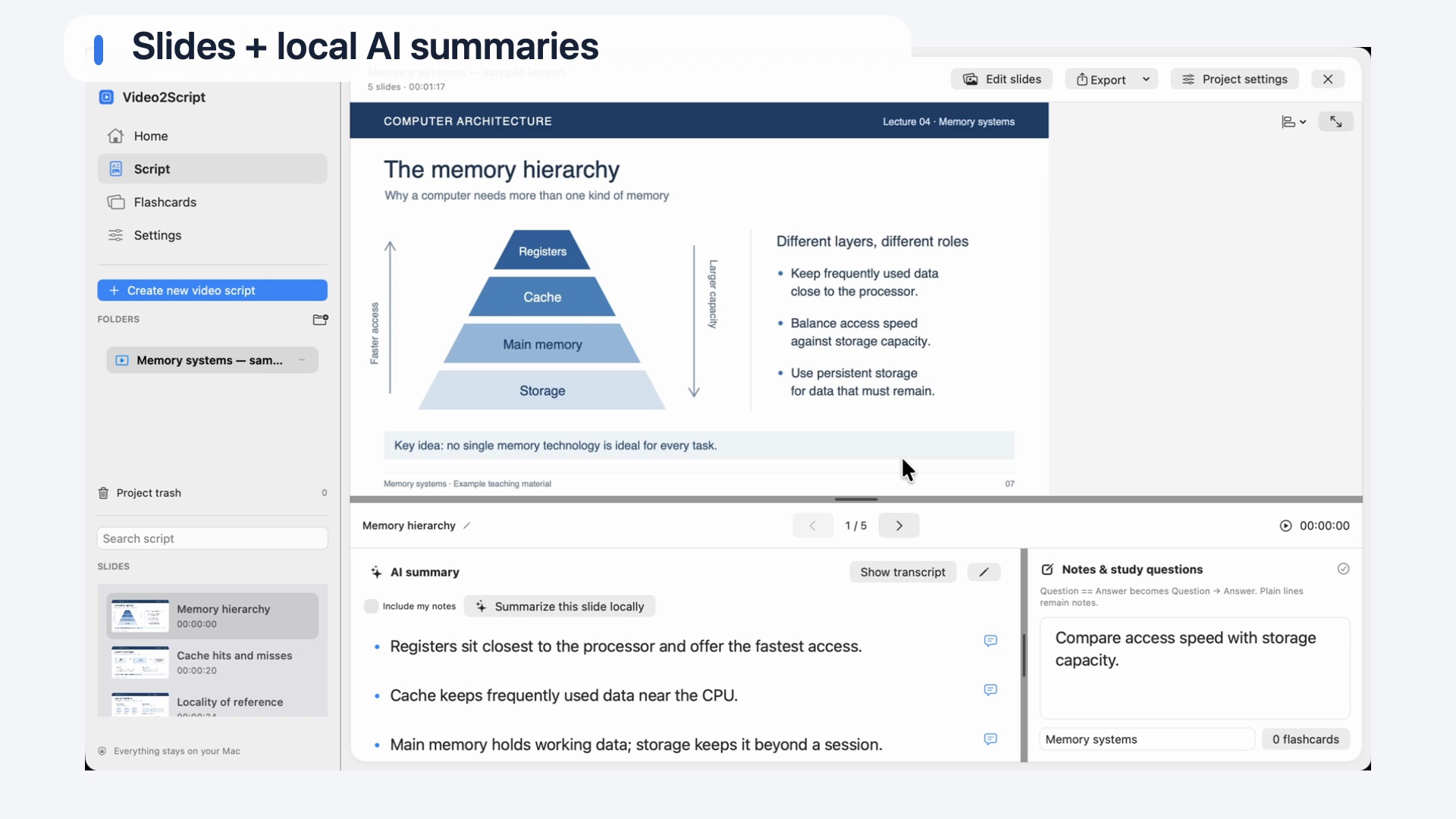
Keep screenshots, explanations and personal notes connected.
Create a first draft from detected slide changes, then correct missing or extra sections.
Use the transcript for detail or an AI summary for the main points.
Add questions and annotations before exporting a reference document.
FROM RECORDING TO STUDY GUIDE
Choose an existing video file you are allowed to use.
Detect slide changes or capture useful moments manually in Live mode.
Review transcripts and summaries, then add your own context.
Keep the script in the app or export PDF or Word.
Useful sources include conference talks, recorded briefings, product demonstrations and professional webinars. You work with an existing recording that you are allowed to use.
Review the result before sharing it. A summary can omit qualifications or misstate a figure. Screenshots remain images of the shown slides; they are not an editable reconstruction of the original presentation.
A FEW THINGS TO KNOW
Yes. Choose summaries, transcripts or both. A .docx export is also available for further editing.
No. Video2Script captures screenshots from the recording and creates study or reference notes. It does not recover the original PowerPoint file.
Start with the free demo, then unlock every slide with a one-time purchase.
| Feature | Free demo0 USDFree | Full version99 USDOne-time purchase |
|---|---|---|
| Video analysis | Entire video | Entire video |
| Slides per video | Any five slides you choose | All slides |
| Notes, AI summaries & flashcards | For your selected slides | For all slides |
| PDF, Word & HTML export | Your selected slides | All slides |
| License | No key required | Two personal Macs |
| Time limit | No expiry | Keep using the purchased major version |
| Anki export with screenshots | Not included | Included |
| PDF watermark | Demo watermark | No demo watermark |
Planned full-version price: 99 USD. Public downloads and purchasing will follow. Later paid major versions are sold separately.
KEEP EXPLORING
Explore PDF, Word and the text options for your document.
Video to PDFPublic downloads and release details will follow on the homepage.
See availability →